 CK Core Motif
Flyout
XmFlyout is an additive, non-modal anchored popup handle. Create it as an
unmanaged child of its owner with XmCreateFlyout, configure
XmNflyoutText, XmNflyoutOffsetX and XmNflyoutOffsetY, and call
XmFlyoutShow or XmFlyoutHide explicitly.
Showing creates a transient override-redirect shell positioned below the owner
and clamped to the current screen. In Modern profiles it aligns to the owner's
left edge with an eight-logical-pixel gap, choosing above the owner when there
is insufficient space below. Classic retains centered placement. Explicit X/Y
offsets remain additive. The Modern label has density- and scale-aware padding;
its margins remain application-overridable. Owner geometry and visible text
updates also refresh placement. The shell uses XtGrabNone: it never
changes menu or dialog admission and does not intercept unrelated events.
Owner unmap, owner button activation, Escape/Return in the popup, explicit
hide, owner destruction and flyout destruction all have deterministic cleanup.
XmNflyoutDismissCallback reports explicit or interaction-driven dismissal;
owner destruction does not call application callbacks after the owner is gone.
The flyout never moves keyboard focus. Existing Motif tooltip resources and
behavior remain unchanged; delayed tooltips and teaching-tip content can be
layered on this primitive by a later package.
tests/automated/run-flyout.py validates show/hide, dismissal callbacks,
screen-edge placement through the installed prefix, and owner teardown under
Xvfb. Popup destroy callbacks detach before the handle is freed, including
when Xt defers the popup's destruction.
The gallery uses a compact trigger-only owner and leaves both Flyout and
TeachingTip handles unmanaged, avoiding an empty visible primitive. The details
example uses a two-line panel rather than a long tooltip-shaped strip.
tests/automated/run-flyout-gallery.py --build ABS_BUILD --results ABS_NEW_DIR
tests the production factory, callback activation, hidden helper, trigger bounds,
popup padding and placement across palettes, scales and densities, bottom-edge
flipping and repeated Flyout/TeachingTip teardown. Use
ckmotif-gallery --component xm.flyoutwidgetclass --open-example to inspect the
opened panel without sending desktop mouse or keyboard input.
Component demo
Captured gallery example and its corresponding source excerpt.
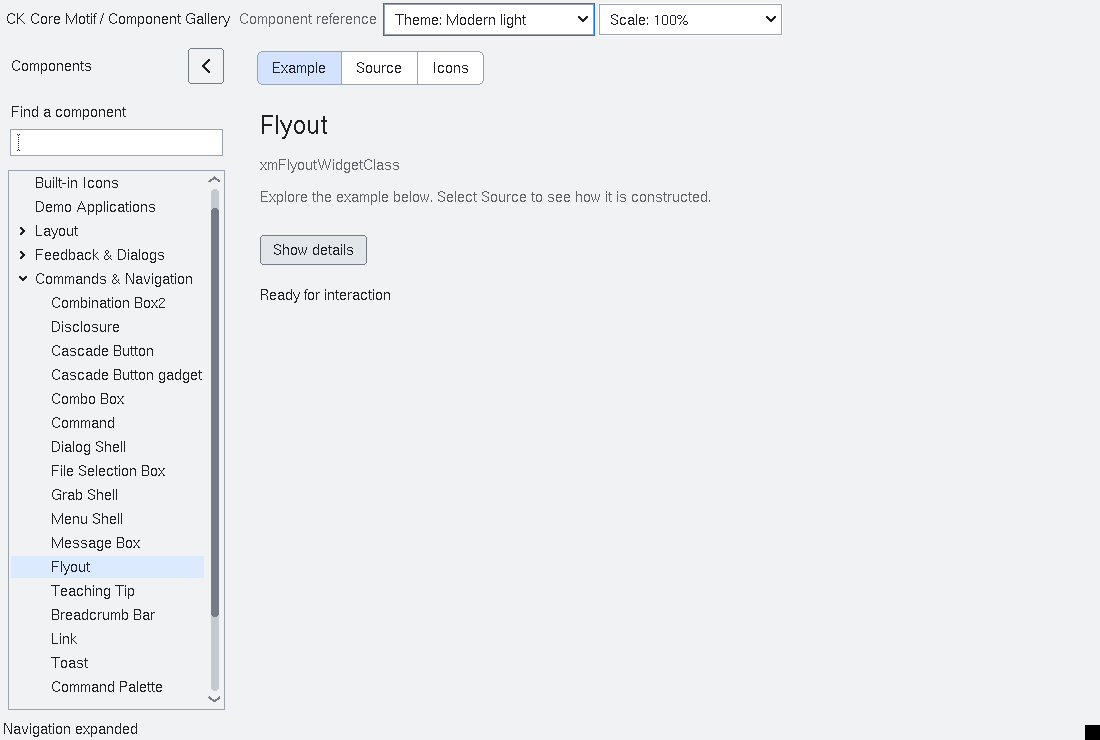
Actual gallery excerpt: class = xmFlyoutWidgetClass. The host supplies parent, name, callback and client_data. Shared factory locals: Widget example; XmString label = NULL. The shared factory frees label, attaches callbacks and sizes the preview. Helpers and the complete factory are in gallery_examples.c.
XmString caption = XmStringCreateLocalized((char *)(class == xmFlyoutWidgetClass ? "Show details" : "Show keyboard tip"));
/* Popup handles stay unmanaged. Only the trigger participates in this
 * compact owner layout, so popup placement follows the button bounds. */
Widget owner = XtVaCreateManagedWidget("popupAnchor", xmRowColumnWidgetClass, parent,
    XmNorientation, XmVERTICAL, XmNmarginWidth, 0, XmNmarginHeight, 0,
    XmNspacing, 0, NULL);
Widget trigger = XtVaCreateManagedWidget("showPopup", xmPushButtonWidgetClass, owner,
    XmNlabelString, caption, NULL);
XmStringFree(caption);
example = XtVaCreateWidget((char *)name, class, owner, NULL);
if (class == xmFlyoutWidgetClass)
    XtVaSetValues(example, XmNflyoutText, "Document details\nSaved locally and ready to export.", NULL);
if (class == xmTeachingTipWidgetClass) {
    XmString title = XmStringCreateLocalized((char *)"Move with the keyboard");
    XmString body = XmStringCreateLocalized((char *)"Press Tab to move forward and Shift+Tab to move back.");
    XtVaSetValues(example, XmNteachingTipTitle, title, XmNteachingTipText, body,
        XmNteachingTipDelay, 0, NULL);
    XmStringFree(title); XmStringFree(body);
}
XtAddCallback(trigger, XmNactivateCallback, show_popup_example, example);