 CK Core Motif
Prompt text
XmPrompt is a standalone, non-interactive presentation for placeholder or
instructional text. Its copied XmNpromptText is never inserted into a text
field, submitted, or treated as user input. XmPromptSetVisible controls the
presentation explicitly; hiding it does not mutate any sibling or host
widget. Applications place it next to a text field or compose it in their
own layout, so the toolkit never creates an overlay or silently changes host
geometry.
The control is not focusable and has no activation callbacks. Accessibility exposes visible prompt text as a label and exposes no name when hidden. The installed fixture verifies visibility transitions, sibling value preservation, accessibility and teardown.
Content geometry
Prompt measures its compound string with the current render table. Width and height are independently automatic unless the application assigns a nonzero size; assigning zero restores natural sizing. Explicit sizes remain authoritative in geometry queries. The gallery uses these library defaults without a sizing repair.
Text aligns to the beginning of the allocated content area: the left edge for left-to-right layouts and the right edge for right-to-left layouts. Drawing is clipped to that area's padding on every side, including when a parent allocates less room than the measured text. Multiline content retains its measured height.
Run tests/automated/check-prompt-geometry.py --build /absolute/build --out /absolute/fresh-output to check native geometry and rendered pixel bounds in
light/dark themes at 100%, 150% and 200%, in both layout directions. This replaces
the old source-text check for fixed 24-pixel height. The public visibility and
accessibility contract remains covered by run-prompt.py.
Component demo
Captured gallery example and its corresponding source excerpt.
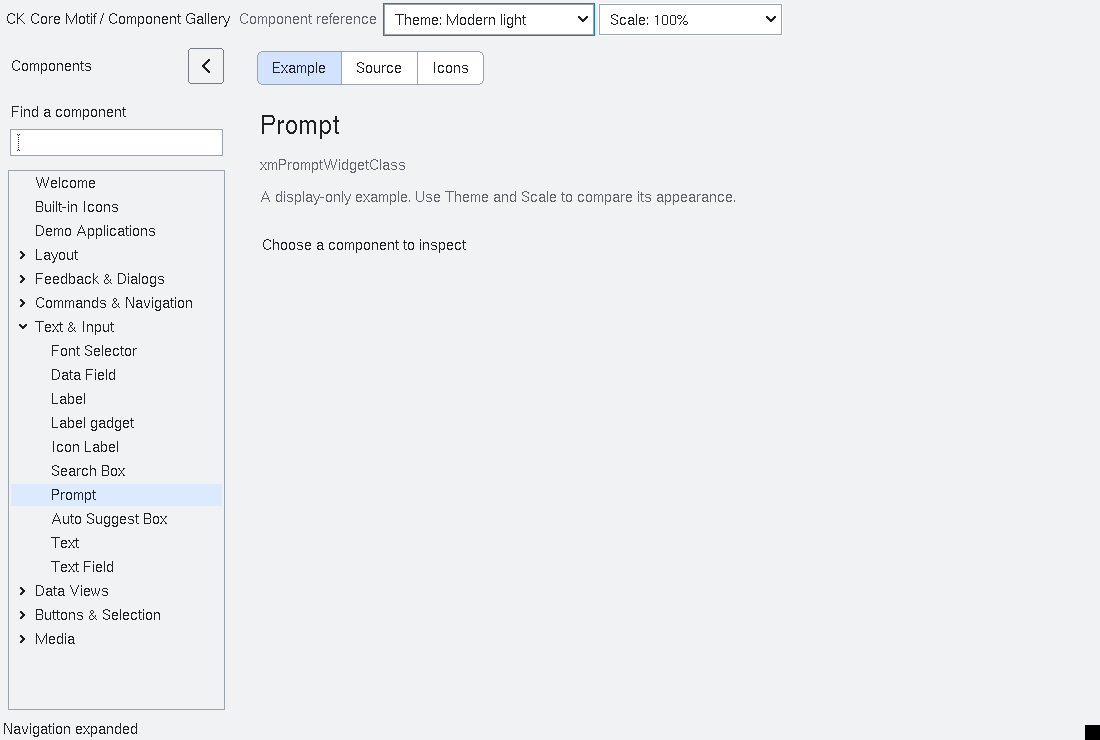
Actual gallery excerpt: class = xmPromptWidgetClass. The host supplies parent, name, callback and client_data. Shared factory locals: Widget example; XmString label = NULL. The shared factory frees label, attaches callbacks and sizes the preview. Helpers and the complete factory are in gallery_examples.c.
label = XmStringCreateLocalized((char *)"Choose a component to inspect");
example = XtVaCreateManagedWidget((char *)name, class, parent,
                                  XmNpromptText, label, NULL);
Natural dimensions
Unspecified dimensions follow the measured compound label and active render table, including multiline text and live font/scale changes. Padding scales with DPI. An explicit width or height remains application-owned, even when set to its current value; setting that dimension to zero restores automatic sizing. Parent geometry negotiation still determines the accepted allocation.