 CK Core Motif
InfoBar
XmInfoBar is an additive inline information, warning or error banner. Its
Changing XmNlayoutDirection on a realized InfoBar requests a redraw so its
message, action, and close-control placement update together.
XmNinfoSeverity and XmNinfoMessage are explicit resources; an optional
XmNinfoActionLabel invokes XmNinfoActionCallback, and
XmNinfoClosable enables Escape or close-glyph dismissal. While an InfoBar is
insensitive, those input paths and its action hit target are inactive.
XmInfoBarDismiss
unmanages the bar first and then invokes XmNinfoDismissCallback, so the
banner disappears even if an application only observes the notification. The
bar never grabs input or moves keyboard focus.
Its accessible representation exposes the message text as a live panel.
Existing MessageBox, dialog and application status-area behavior is unchanged.
The action label is measured through the configured render table and placed at the logical end before the optional close control. In right-to-left layouts the action and close control mirror to the physical left, and their hit areas use the same layout geometry as drawing. Localized action labels therefore do not rely on a fixed-width hit zone.
Component demo
Captured gallery example and its corresponding source excerpt.
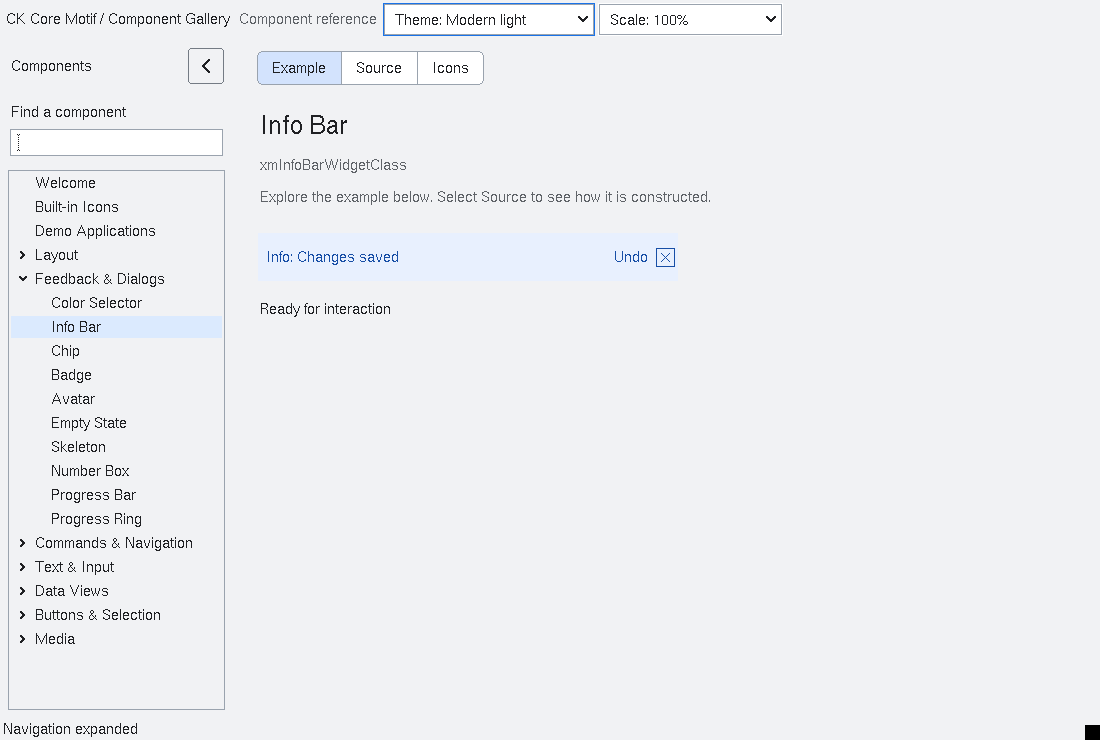
Actual gallery excerpt: class = xmInfoBarWidgetClass. The host supplies parent, name, callback and client_data. Shared factory locals: Widget example; XmString label = NULL. The shared factory frees label, attaches callbacks and sizes the preview. Helpers and the complete factory are in gallery_examples.c.
example = XtVaCreateManagedWidget((char *)name, class, parent,
                                  XmNinfoMessage, (char *)"Changes saved",
                                  XmNinfoActionLabel, (char *)"Undo",
                                  NULL);