 CK Core Apps
Clock and Calendar (ck-clock)
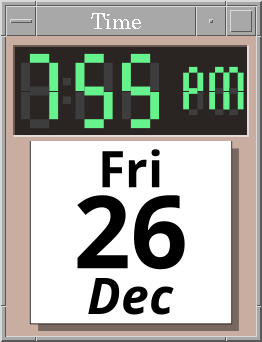
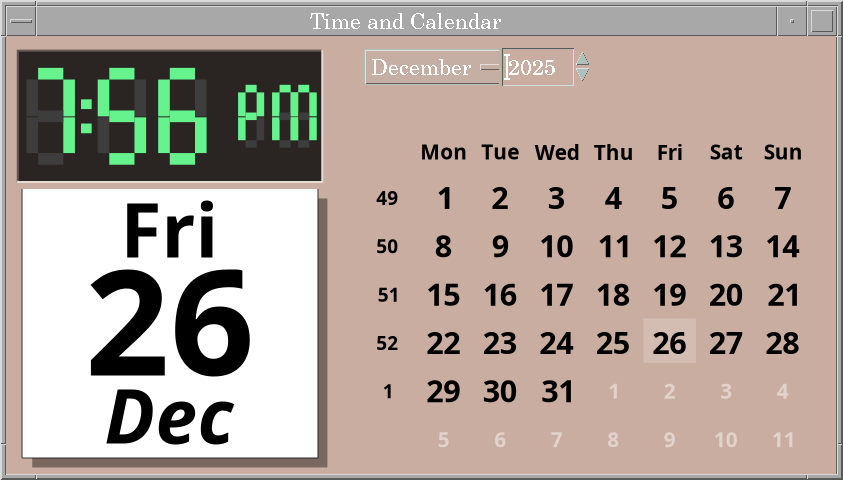
ck-clock (CkClock X application class) combines a seven-segment digital LED display with a classic tear-off day calendar rendered via Cairo and styled from the active CDE/Motif color palette (XmeGetColorObjData / XmGetColors). Resizing the window wider automatically reveals an interactive monthly calendar with ISO week numbers.
Simple view (Time) | Extended split view (Time and Calendar) |
|---|---|
 |  |
Responsive window views
ck-clock switches layout automatically based on its aspect ratio (width vs. 1.4 × height):
- Single-pane view (
width <= 1.4 × height, window titleTime):- Upper sunken LED bar showing
HH:MM(with an even-second blinking colon and locale-drivenAM/PMindicator whenstrftime("%p")is non-empty). - Lower paper calendar tile showing localized abbreviated weekday, day of month, and month (
nl_langinfo).
- Upper sunken LED bar showing
- Extended split view (
width > 1.4 × height, window titleTime and Calendar):- Keeps the LED and tear-off tile on the left and opens a full 8 × 7 monthly calendar grid on the right (leftmost ISO week-number column plus 7 weekday columns ordered by
_NL_TIME_FIRST_WEEKDAY, dimmed adjacent-month days, and a highlighted current day). - Displays a localized Month selector (
XmOptionMenu) and Year spinner (XmSpinBox,1900–2200). If left on the current month, the grid advances automatically at midnight across month boundaries.
- Keeps the LED and tear-off tile on the left and opens a full 8 × 7 monthly calendar grid on the right (leftmost ISO week-number column plus 7 weekday columns ordered by
Dynamic desktop icon
ck-clock queries WM_ICON_SIZE from dtwm and renders size-adapted Cairo icon pixmaps (IconPixmapHint):
32×32and48×48(normal icon sizes): Uses a crisp non-blurred3×5pixel-digital time band above a side-by-side day and stacked weekday/month layout.64×64and96×96(increased icon sizes): Uses the full vertical calendar tile, switching to the seven-segment LED display at96×96.- Update cadence: Refreshes every minute while the normal window is open (supporting CK Core CDE's Show Icons for Open Windows mode) and every second while minimized (
IconicState).
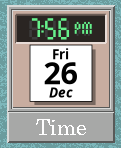
See High-resolution dynamic icons for 32×32–96×96 comparisons across display densities.
Command-line options
ck-clock [--no-embedd] [--locale <locale>] [--locale-debug] [Xt options...]
| Option | Effect |
|---|---|
--no-embedd | Sets WM_CLASS to ck-clock-debug / CKClockDebug instead of ck-clock / CKClock to test standalone window behavior without matching CDE Front Panel swallow rules. |
--locale <loc> / --locale=<loc> | Overrides LC_TIME (probing UTF-8 spelling variants) for weekday, month, first-weekday, and 12/24-hour formatting. |
--locale-debug | Prints LC_ALL, LC_TIME, LANG, resolved setlocale state, and localized sample labels to stderr. |
Dependencies and notes
ck-clocklinks directly against Motif, Xt, X11, and Cairo (-lcairo -lXm -lXt -lX11 -lm) without requiring-lDtSvc, keeping startup lightweight for panel or companion use.- Window geometry is controlled via standard X11/Xt
-geometryresources rather than-sessionfiles.