 CK Utilities
ck-chat
ck-chat is the native terminal interface for the configured local GGUF
model. It loads AI configuration from ~/.config/cktools/ckai.toml
(%APPDATA%\cktools\ckai.toml on Windows), lets you
manage models and system prompts, streams and cancels responses, and exports
conversations from the interactive application.
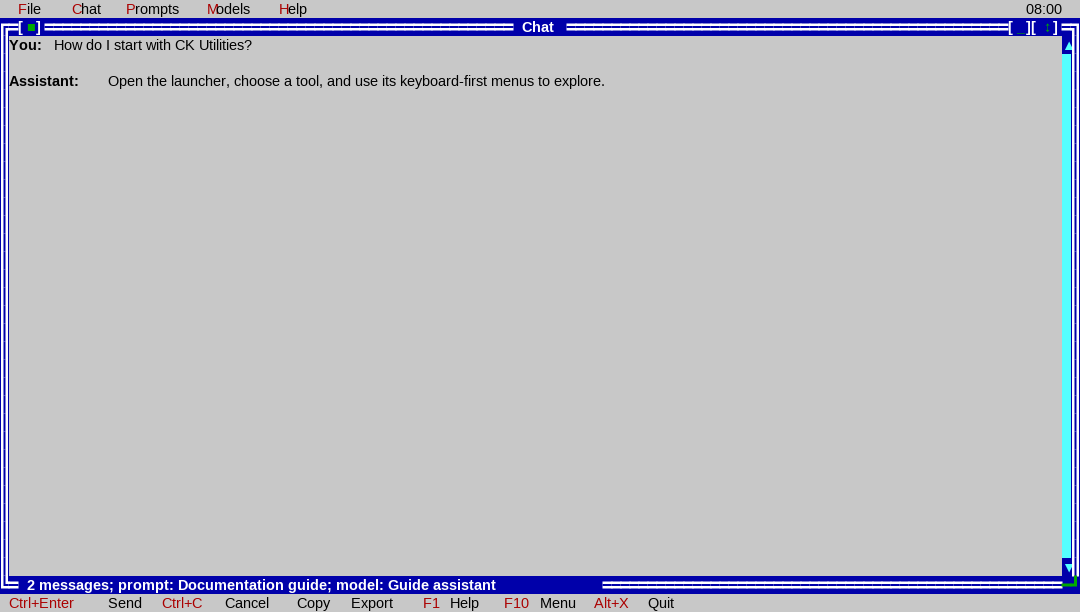
A missing or unusable model is shown as an error in the transcript. The product never silently falls back to a deterministic test response.
Features
- Local GGUF model discovery, selection, activation, download state, and hardware/context/output settings from the user-owned configuration file.
- Named system prompts with create, edit, activate, restore-default, and safe validation workflows.
- Streaming responses, cancellation, bounded transcript rendering, clear model errors, and explicit busy/running state.
- Conversation transcript export, Markdown-aware rendering when enabled, and keyboard-first menus for models, prompts, settings, help, and exit.
- No network model fallback or fake response is substituted when the selected local model is missing or unusable.
Usage
ck-chat
Copy configs/ckai.example.toml to ~/.config/cktools/ckai.toml
(%APPDATA%\cktools\ckai.toml on Windows) and set a
valid local GGUF path before sending a response. Use ck-chat --help or
ck-chat --version for noninteractive package metadata; prompts are entered
through the native interface.