 CK Utilities
ck-todo
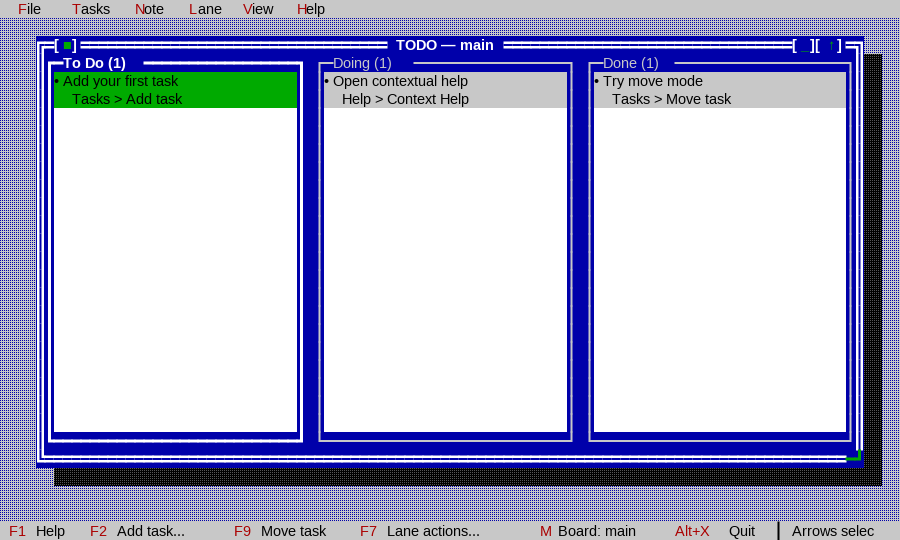
ck-todo is a local Kanban board for the terminal: boards of lanes, two-row
task cards, full note windows, typed due dates, and a durable archive. Every
change is saved before the interface reports success, another running copy is
noticed, and conflicting edits are resolved without silently discarding either
version.
Usage
ck-todo                      # open your workspace
ck-todo --demo               # a fixed in-memory tour that writes nothing
ck-todo --board Release      # open the board named Release (or: ck-todo Release)
ck-todo --data-dir PATH      # keep a workspace somewhere else
ck-todo --help
ck-todo --version
--demo is the safest first tour. Without it, ck-todo opens your workspace
in the CK Utilities settings folder:
| Platform | Workspace folder |
|---|---|
| macOS, Linux | $XDG_CONFIG_HOME/ck-utilities/todo, or ~/.config/ck-utilities/todo |
| Windows | %APPDATA%\ck-utilities\todo |
On first launch, choose a guided sample or an empty board. A board named on
the command line is selected after loading; otherwise the last selected board
is restored. --data-dir keeps demonstrations and experiments apart from your
own tasks.
Features
- Multiple boards and lanes with create, switch, rename, merge, archive, and safe protected-main-board behavior.
- Tasks with titles, details, long notes, typed due dates/times, four priority levels, optional colors, creator, and timestamps.
- Keyboard and mouse task movement with insertion markers, lane sorting, responsive narrow layouts, selection, archive, and separately confirmed permanent deletion.
- Movable, resizable note windows with undo/redo, cut/copy/paste, find, word-wrap, autosave, conflict handling, and read-only preservation when the task disappears elsewhere.
- Atomic JSON workspace saves, daily backups, durable archive records, cross-process change detection, non-overlapping reconciliation, and explicit conflict choices for overlapping edits.
- Demo mode, alternate data directories, themes, menus, context help,
configurable keyboard controls,
--help, and--version.
Earlier releases shipped this program as the ckVision example
ckvision_todo, which kept its workspace in ~/.ckvision/todo. To keep those
tasks, copy that folder's contents into the workspace folder above before the
first start.
Tasks and movement
Each task has a title, details, a long note, a due date with an optional due time, a four-level priority, an optional named color, and its creator and timestamps. Cards keep their height while the selection moves. Priority and due state are shown with text and glyph shape as well as color, so the Mono theme stays readable.
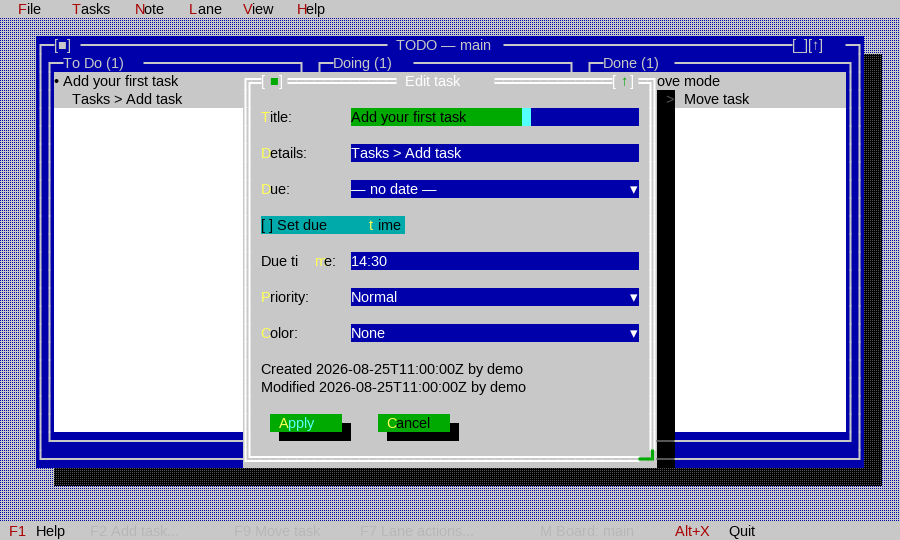
F2 adds a task and F3 edits every short field. The due date is a typed date
field: Left/Right selects year, month, or day, Up/Down changes it, and Delete
clears it. Space, or the dropdown arrow, opens a calendar to pick from. The
due time works the same way for hour and minute and is stored as 24-hour
HH:MM. Cards label overdue, today, and tomorrow, then fall back to the date,
and show the time when one is set.
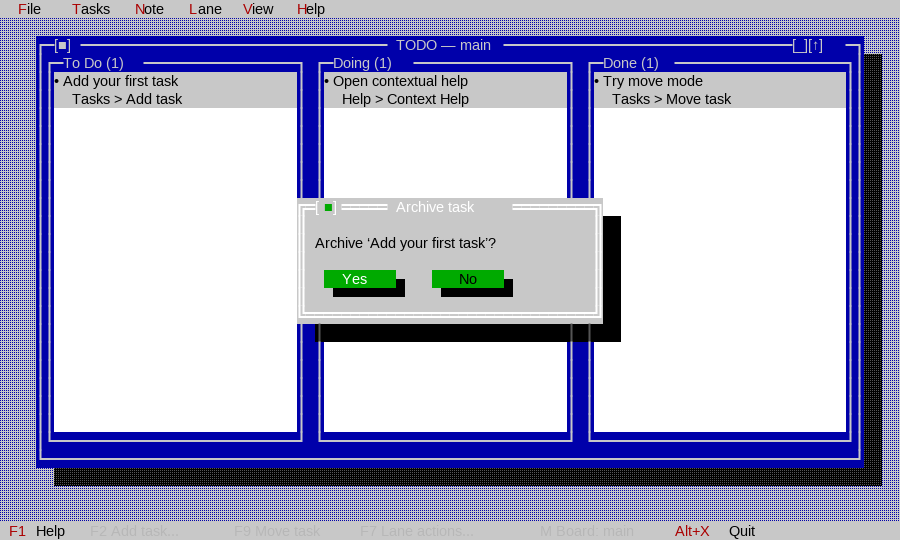
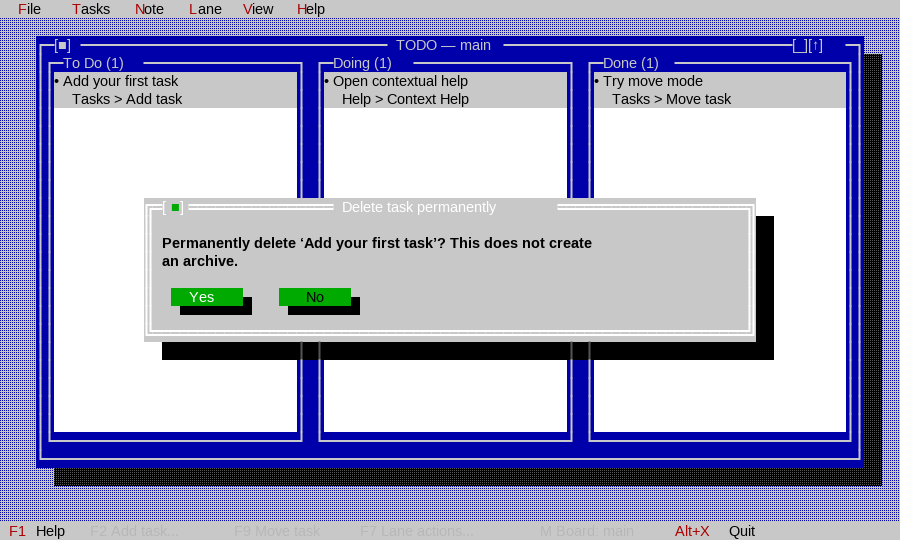
Archive and permanent Delete are deliberately different, and both show the exact task before asking. Archive first writes a separate durable record and only then removes the task; Delete removes it for good.
| Archive to the durable history | Delete permanently |
|---|---|
 |  |
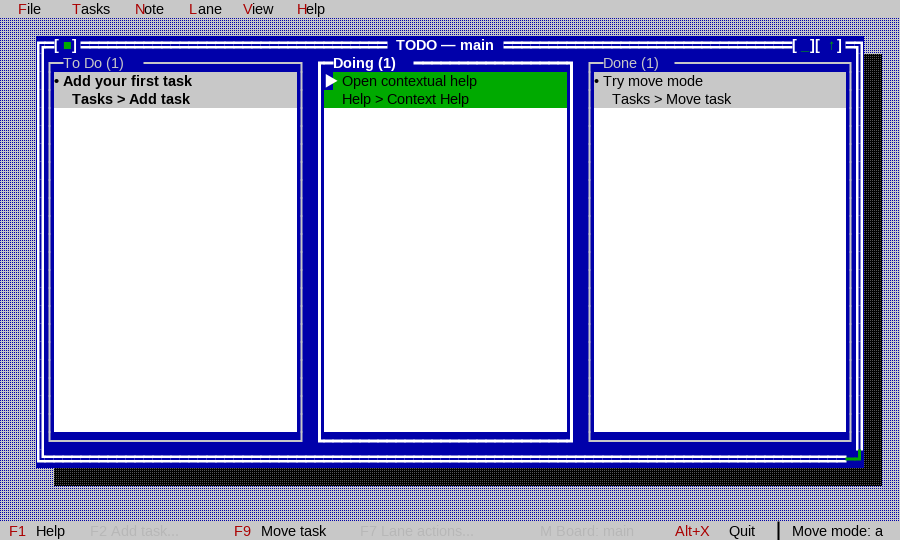
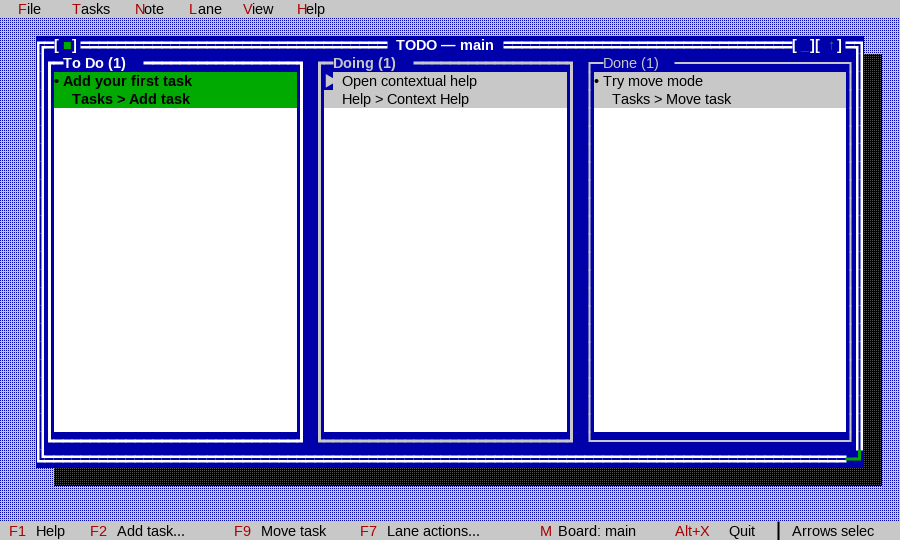
F9, Enter, or Space starts move mode. The arrow keys choose the target lane and position; Enter or Space commits and Escape cancels. Dragging a card with the mouse does the same, with the same visible insertion marker. A lane that sorts automatically accepts tasks from other lanes but explains why it cannot be reordered by hand.
Notes
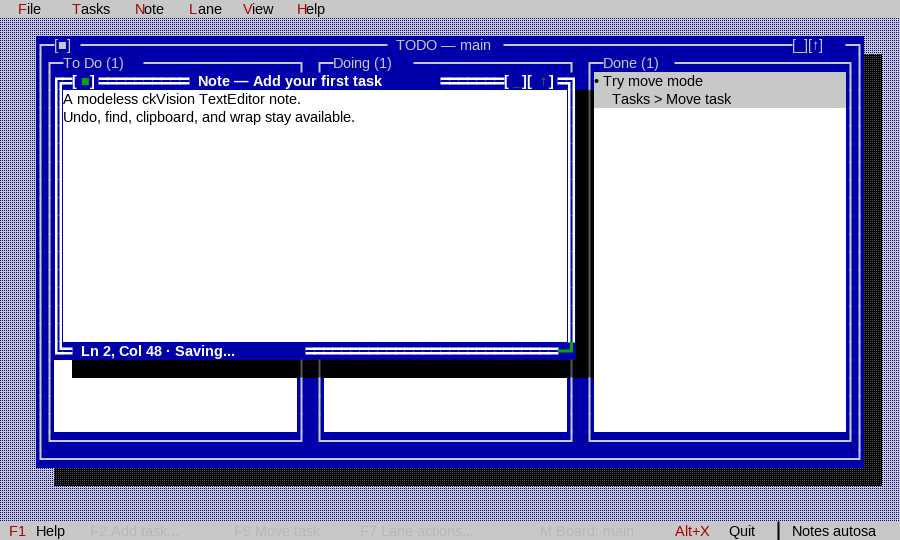
F4 opens the selected task's note in its own movable, resizable editor window. Several notes can be open over the board at once and take part in the usual window commands: next, previous, list, tile, and cascade. The Note menu offers undo, redo, cut, copy, paste, find, and word wrap; the window footer shows the line, the column, and whether the note is saving or saved.
Edits are saved shortly after you stop typing, and when the window closes. If another running copy changes the same note, your text stays visible until you choose which version to keep. If the task is removed elsewhere, the note becomes read-only but keeps your text so you can still copy it.
Lanes and boards
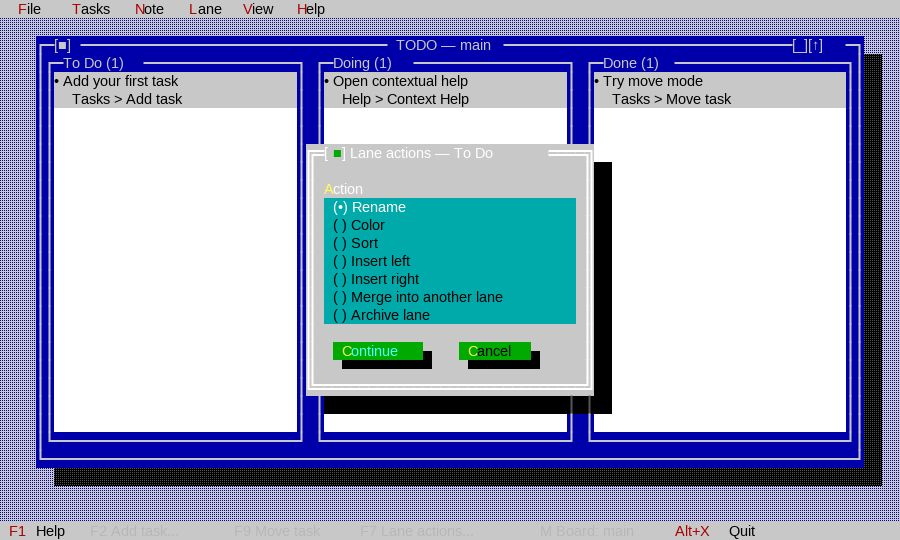
F7 opens the lane actions. A lane can be renamed, colored, sorted (by hand, color, due date, creation, modification, or priority), have a lane inserted on either side, be merged into another lane, or be archived with all its tasks. The last lane cannot be removed, and actions that cannot succeed are left out of the list rather than failing afterwards.
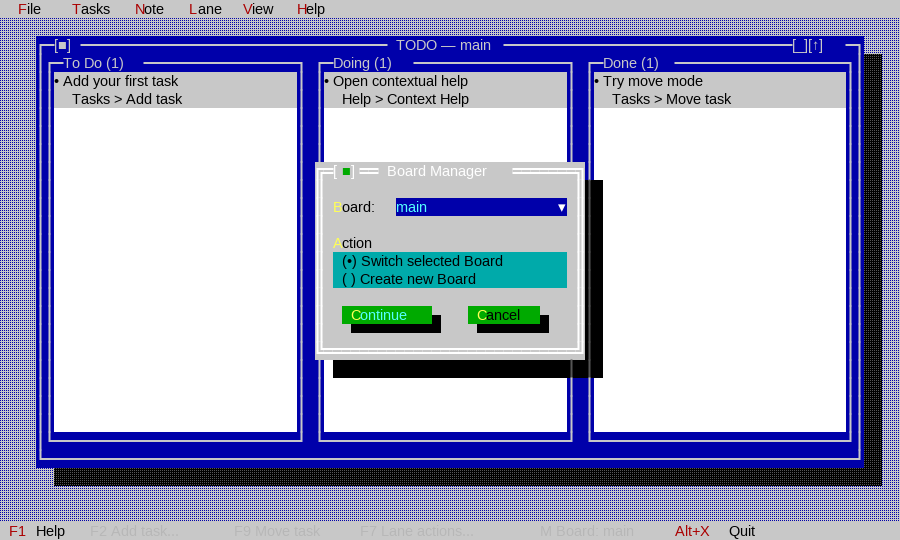
Press m, or click Board: name in the status line, for the Board Manager.
Boards can be created, switched, renamed, merged, or archived. Merging keeps
every task's identity, combines lanes with the same title, and appends the
rest. The protected main board means a workspace never has zero boards.
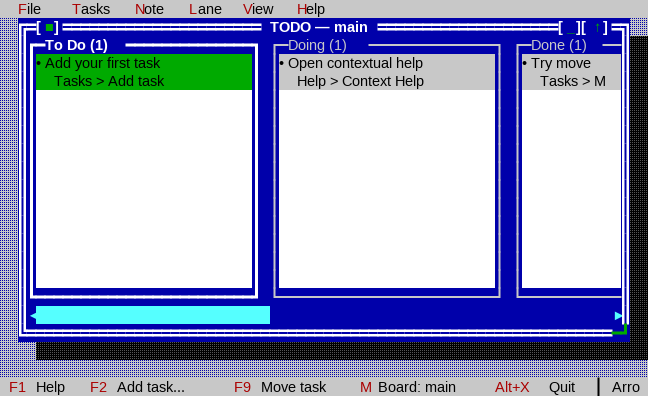
Many lanes stay readable instead of shrinking to slivers: the board scrolls sideways, gives every lane a minimum width, and keeps the focused lane in view.
Windows and themes
The board is an ordinary window: move, resize, zoom, minimize, cycle, list, tile, and cascade all work. F10 or Alt with a menu letter opens the menus; status-line commands can be clicked; task and lane context menus open with a right-click, the Menu key, or Shift+F10.
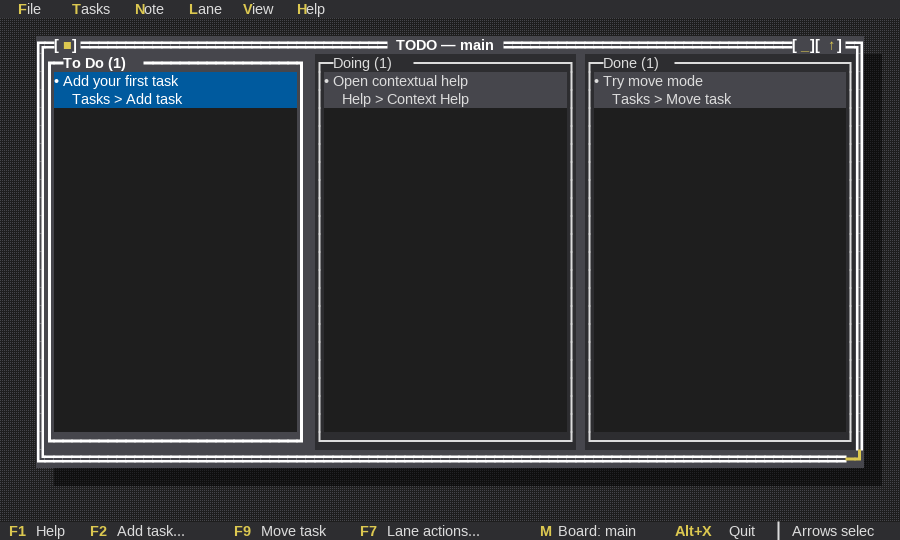
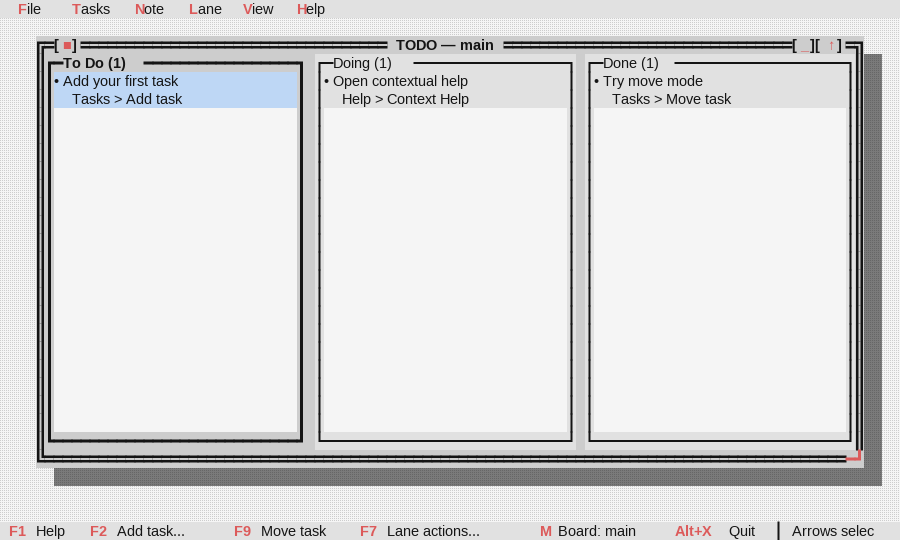
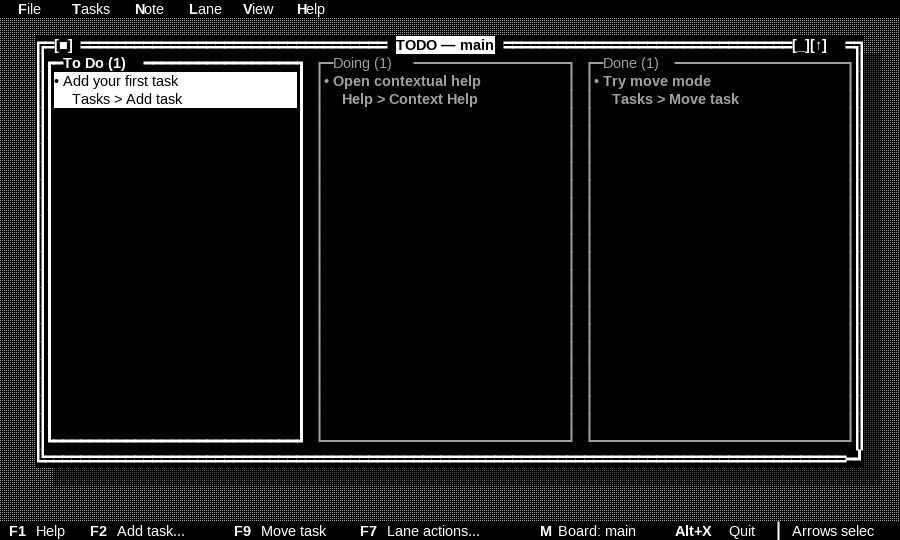
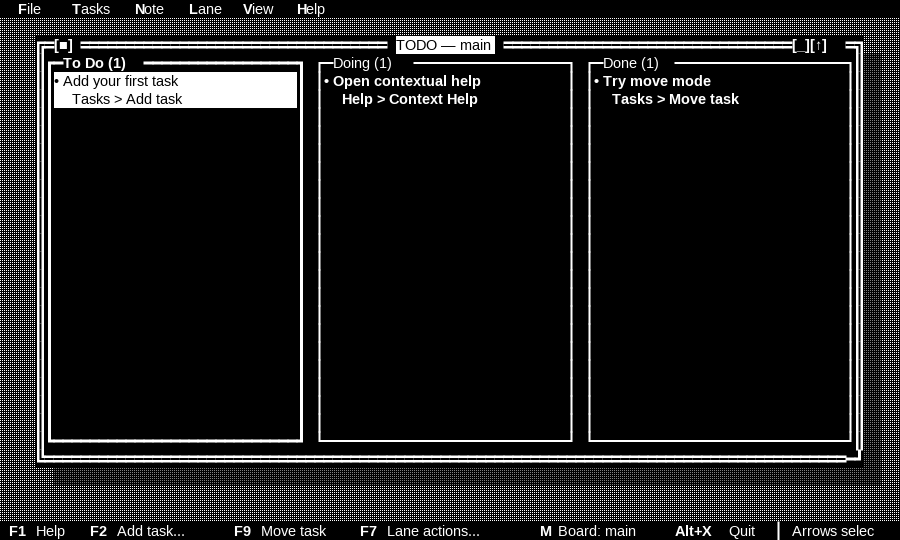
The View menu switches the whole application between themes, and every state stays distinguishable in each:
| Dark | Light |
|---|---|
 |  |
| Mono | High contrast |
|---|---|
 |  |
Keys
Single-letter shortcuts work only on the board itself, so typing in a dialog or a note never archives, moves, or quits. F1 opens help for whatever you are doing.
| Intent | Keys |
|---|---|
| Context help | F1; on the board also h or ? |
| Add / edit task | F2, Insert, or +; F3 or e |
| Open note | F4 or n |
| Lane actions | F7 |
| Archive / move | F8 or a; F9, Enter, or Space |
| Delete permanently | Delete or d |
| Select task / lane | Up/Down; Left/Right or Tab/Shift+Tab |
| Board Manager | m or the Board status item |
| Menu / zoom / next window | F10; F5; F6 |
| Cancel | Escape |
| Quit | Alt+X, or q on the board |
| Note undo / redo | Ctrl+Z / Ctrl+Y |
| Note cut / copy / paste | Ctrl+X / Ctrl+C / Ctrl+V |
| Note find / find next | Ctrl+F / Ctrl+G |
| Note word wrap | Alt+W |
Alt+X does not quit while a dialog is open, including the first-start welcome dialog: answer or dismiss the dialog first.
Saving, backups, and running two copies
The workspace is versioned, human-readable JSON in todo.json. Each save
writes a temporary file, flushes it, and replaces todo.json in one step, so
a crash never leaves a half-written workspace. Before the first change on a
calendar day, the previous workspace is copied to backup/YYYY-MM-DD.json;
that day's backup is never overwritten. Archived tasks are stored as separate
files under archive/, named by time and task id. If an archive cannot be
written, the task stays on the board.
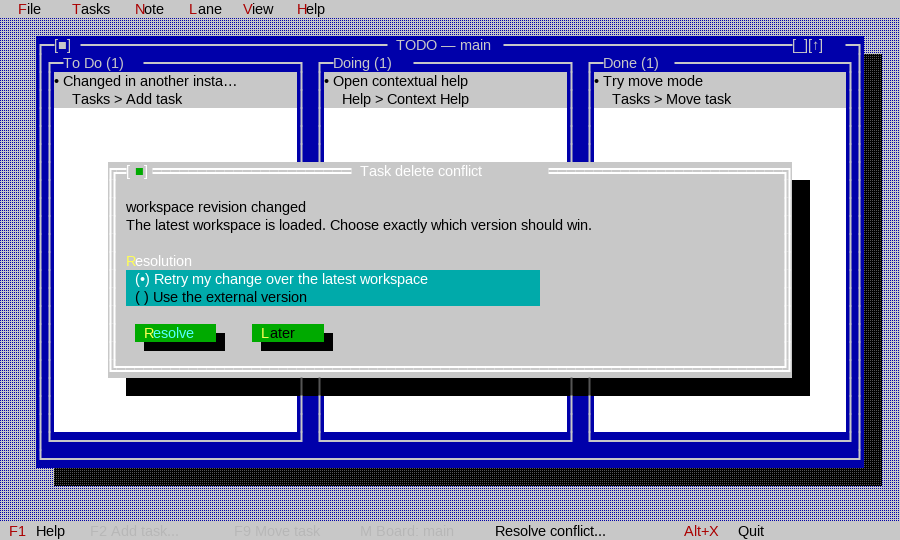
Every second, ck-todo checks whether the workspace changed on disk. A clean
change from another copy is loaded and your selection is kept where possible.
A non-overlapping change of yours is reapplied on top. An overlapping change
waits until you choose to retry yours or keep the other version.
How it is built
The program keeps domain rules, storage, interface, and host access apart, so each part is tested on its own:
| Part | Responsibility |
|---|---|
todo_model | tasks, lanes, boards, validation, sorting, moves |
todo_codec | bounded JSON decoding and canonical encoding |
todo_repository | the load, revision, commit, and archive contract |
memory_todo_repository | demo mode, tests, screenshots, benchmarks |
json_todo_repository | atomic files, daily backups, separate archives |
todo_controller | timestamps, identity, and the durable change boundary |
todo_lane_view, todo_board_view | cards, lanes, navigation, drag and drop |
todo_app | commands, menus, dialogs, windows, help, themes, conflicts |
todo_host, main.cpp | the command line, the user, the terminal, the real clock and files |
Every change is made on a candidate workspace and becomes current only after
storage accepts it at the expected revision; a rejected change leaves the
current workspace untouched. The sources are in src/vision/todo.
| Evidence | Coverage |
|---|---|
test_todo_model | every task, lane, and board transition; validation, sorts, merges, archive plans |
test_todo_codec | canonical round trips, hostile JSON and UTF-8, schema and size limits |
test_todo_repository, test_todo_repository_posix | conflicts, backups, archive-first removal, real files, a real second process |
test_todo_controller | timestamps, identity, durable outcomes |
test_todo_board | navigation, responsive lanes, move and drag geometry, Unicode cards |
test_todo_smoke | dialogs, commands, menus, themes, notes, mouse, conflicts, lifecycle |
test_todo_golden | the pinned frames shown on this page |
fuzz_todo_codec | empty, guided, Unicode, malformed, oversized, and future-schema input |
todo_bench | a 1,000-task workspace against hard size, work, and redraw budgets |
The screenshots on this page and the golden frames are produced together from the real program running on a headless terminal; see Building from source.
Scope
ck-todo is a local tool, not a network service. It has no cloud sync,
reminders, recurrence, tags, global search, archive browsing, or import from
other applications.