 CK Utilities
ck-json-view
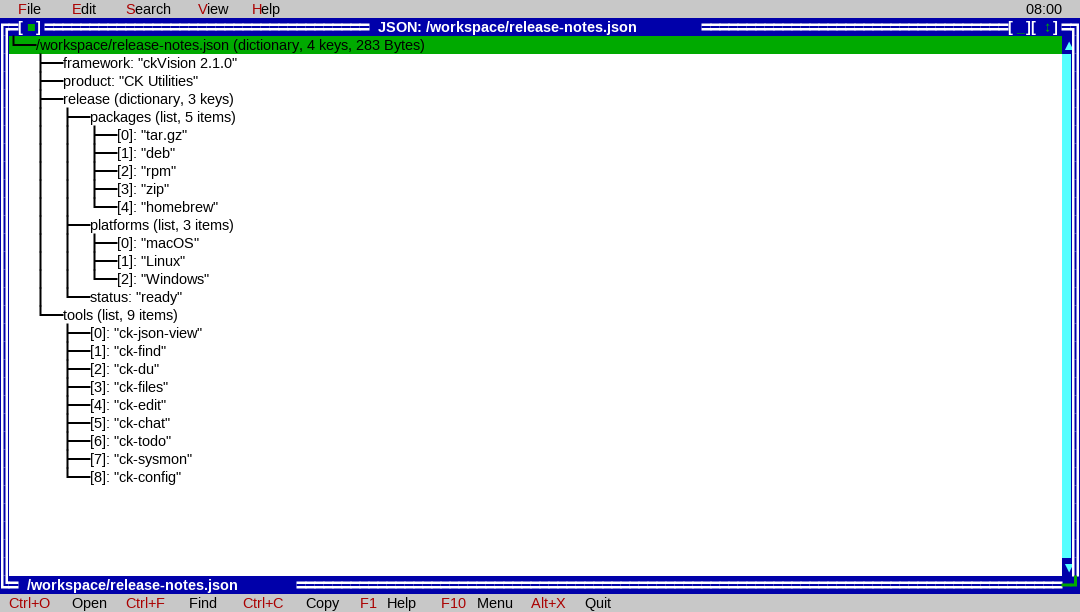
ck-json-view is the native ckVision JSON browser. It presents parsed JSON as
a navigable tree, with keyboard-first selection, expandable nodes, type-aware
previews, incremental search, and clipboard copy when the terminal supports
it.
Usage
ck-json-view [JSON_FILE ...]
Pass one or more JSON files to open them at startup. Without a path, choose
File → Open JSON in the native interface. Use --help (or -h) to show
the command-line usage, or --version to print package metadata without
opening a document.
Features
- Open one or more JSON files at startup, or open, reload, and close documents from the native File menu.
- Parse JSON into a keyboard-navigable tree with expansion to a chosen level, stable selection, type-aware previews, and Unicode-safe display.
- Search text, move to the next or previous match, reveal matching ancestors, and end a search without losing the valid document.
- Copy the selected JSON value through the terminal clipboard protocol when the terminal supports it.
- Keep the last valid document visible when a reload is malformed or unreadable, and report the error in the interface rather than replacing it.
- Shared menus, help, themes, keyboard shortcuts, status feedback, and normal quit behavior.
Native workflow
- File: open, reload, or close the active JSON document.
- Edit: copy the selected JSON value through the terminal clipboard.
- Search: find text, move to the next or previous result, or end a search.
- View: expand the tree to a chosen level.
Reload keeps the current valid document visible if the replacement file is malformed. Search reveals and selects matching nodes, including Unicode text.
Exit status
The interactive application exits through its standard quit command. Invalid or unreadable documents are reported in the native interface without replacing the currently valid document.