 CK Utilities
ck-du
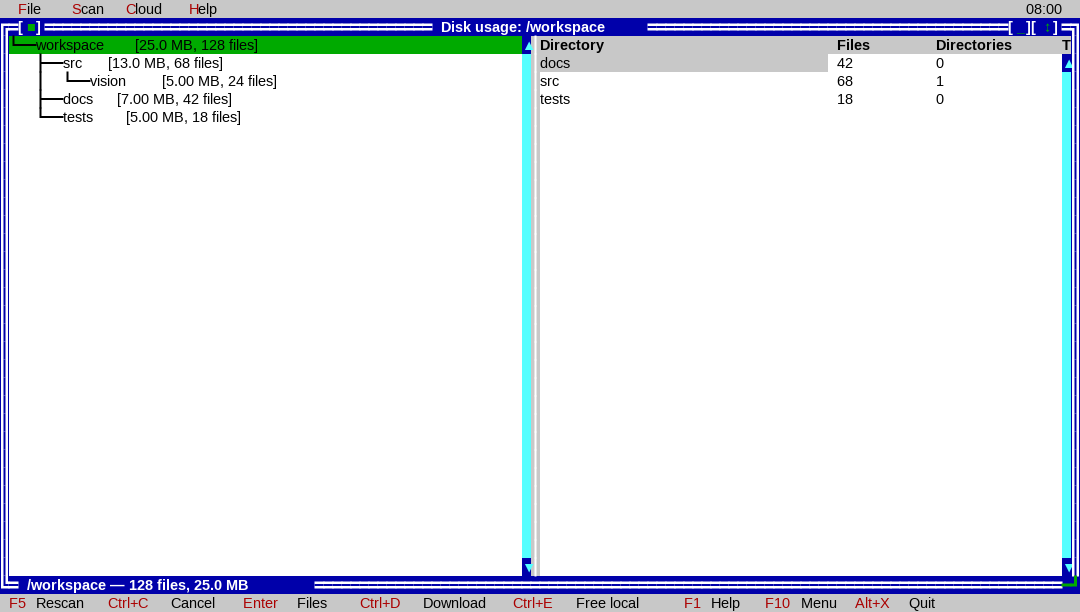
ck-du is the native ckVision disk-usage explorer. It scans a directory in the
background and presents a navigable directory tree and file listings without
requiring du command pipelines.
Usage
ck-du [DIRECTORY]
DIRECTORY defaults to the current directory. Use --help (or -h) to show
the command-line usage, or --version to print package metadata without
starting a scan.
Features
- Background directory scanning with cancellation and a preserved valid snapshot while a replacement scan is pending or fails.
- Navigable directory tree, recursive file listing, selection details, and storage totals for the requested root.
- Configurable filtering, symlink handling, filesystem-boundary behavior,
reporting policy, display units, and related scan options through
ck-config. - Rescanning and opening the selected directory's file view from the native menu and keyboard workflow.
- Capability-checked iCloud Drive actions on macOS: request a download or, only after the provider reports upload, request freeing local copies. Unsupported providers, paths, links, and non-directories are refused.
- Honest cancellation and provider outcomes: acceptance of a request is not reported as completed synchronization, and cancellation never hides work the provider may already have accepted.
Native workflow
- Scan: rescan the requested directory, cancel an in-progress scan, or view files for the selected directory.
- The tree preserves a valid prior result while a rescan is underway; a cancelled or invalid replacement does not discard the visible snapshot.
- Saved Disk Usage options control the scan policy, including filtering,
symlink handling, filesystem boundaries, and related reporting choices.
Manage those options through
ck-config.
Cloud actions
The Cloud menu has one supported provider: macOS iCloud Drive. It can request an iCloud download for one eligible selected directory inside the current scan root, and can offer a confirmed request to free local copies only after macOS reports the directory uploaded. Symbolic links, non-directories, paths outside the scan root, and all other providers are explicitly refused rather than claiming to change remote or local cloud state.
Cloud requests are cancellable and never retry automatically. A successful result means that macOS accepted the one request; it is not an immediate guarantee that background synchronization or provider-defined recursion has completed. If cancellation arrives after acceptance, the app reports both facts so the provider's possible background work is not hidden.